Grocery delivery · Flutter + Rust

Launch your own grocery delivery marketplace

Shoppers order from the stores near them, pickers pack the order in the aisle and drivers bring it to the door. A shopper app, a store picker app and a driver app in Flutter, a store panel and a super-admin on the web, and one Rust server you start with a single Docker command.

Shopper, picker and driver appsLive tracking on the mapSwaps the shopper approvesOne Docker command
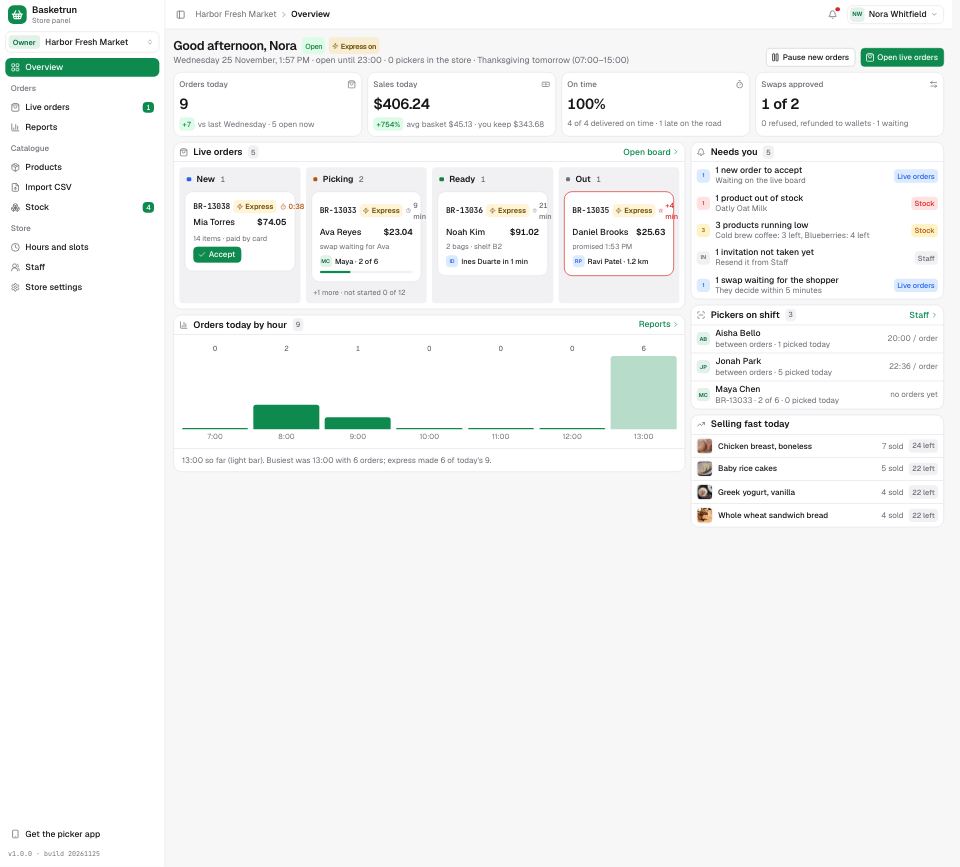
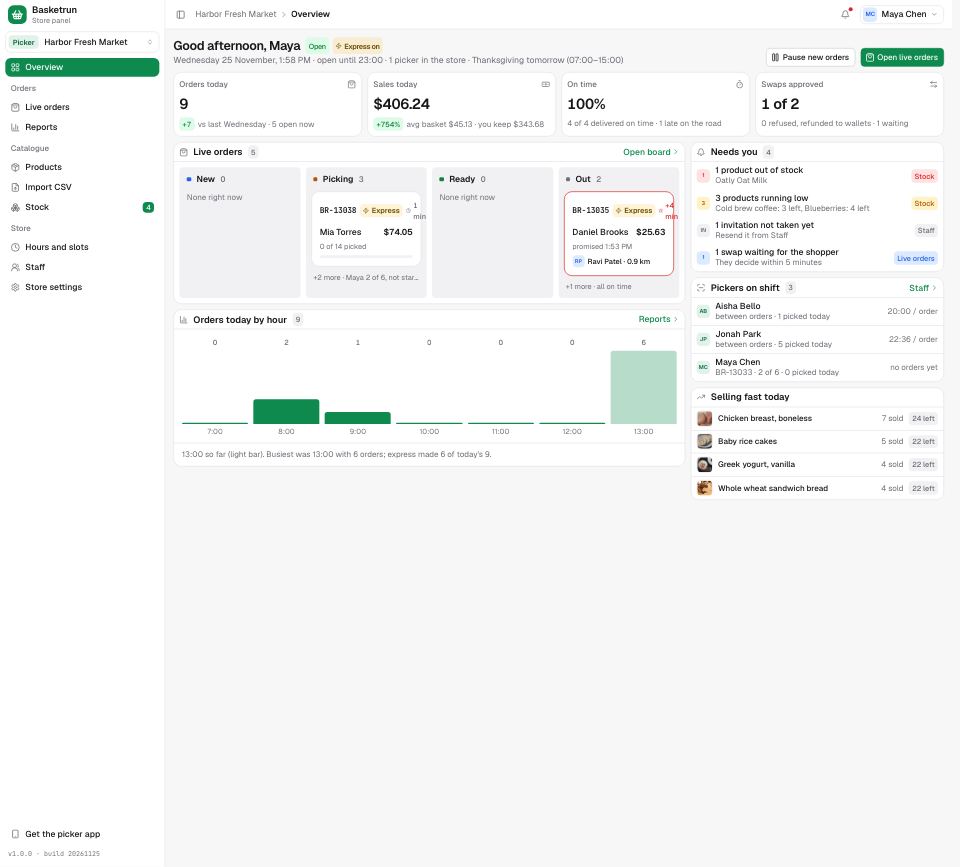
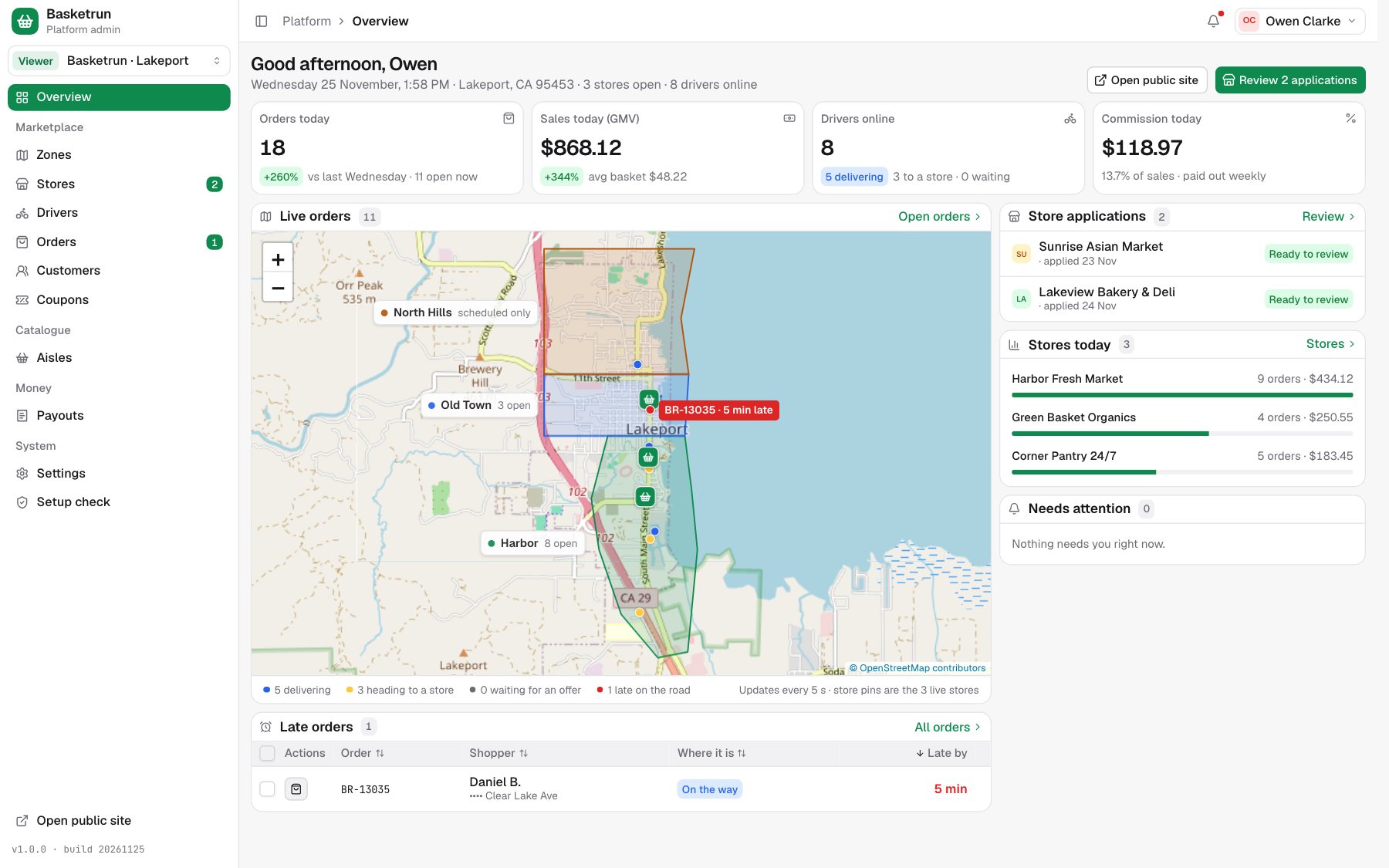
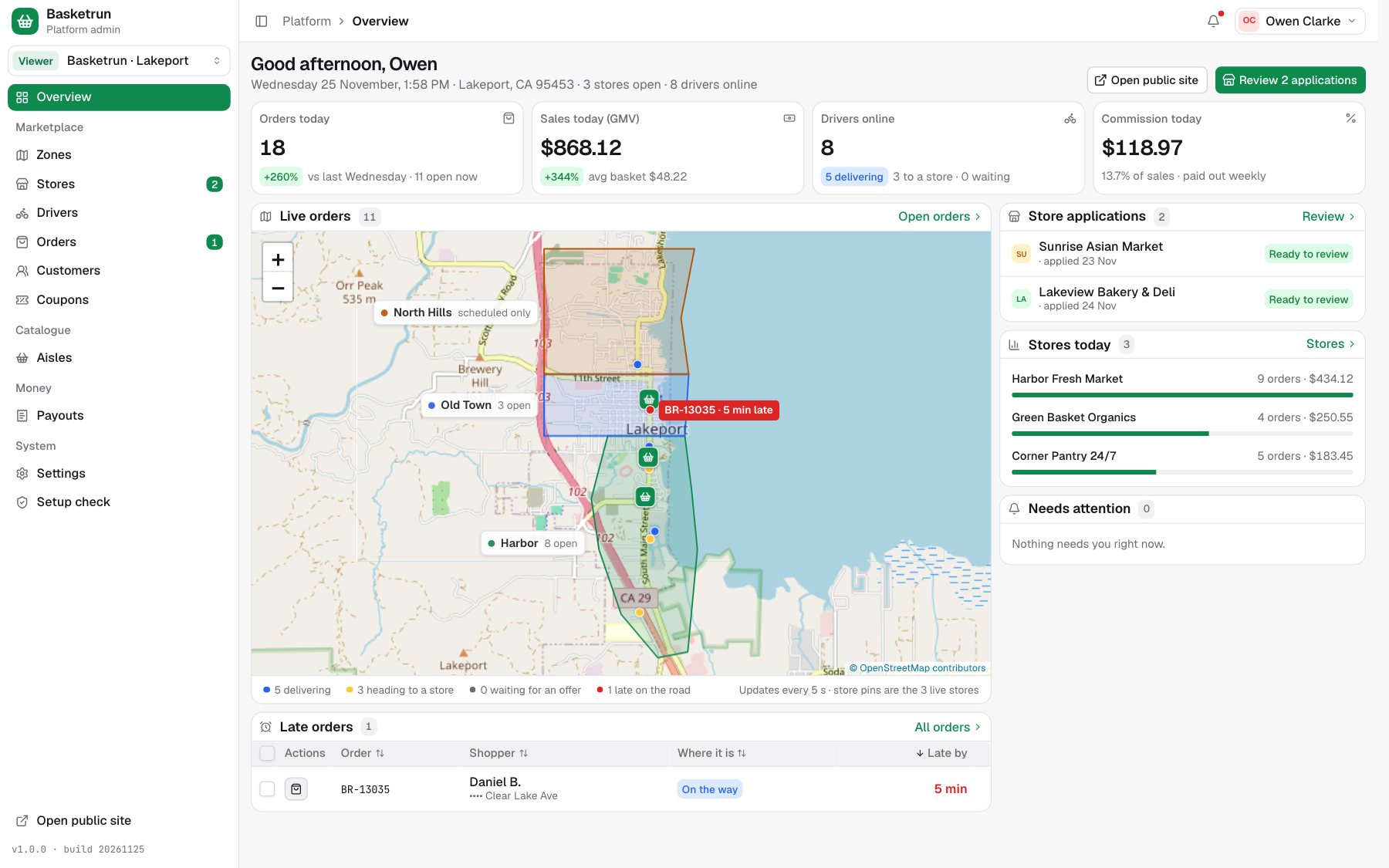
Basketrun dashboard
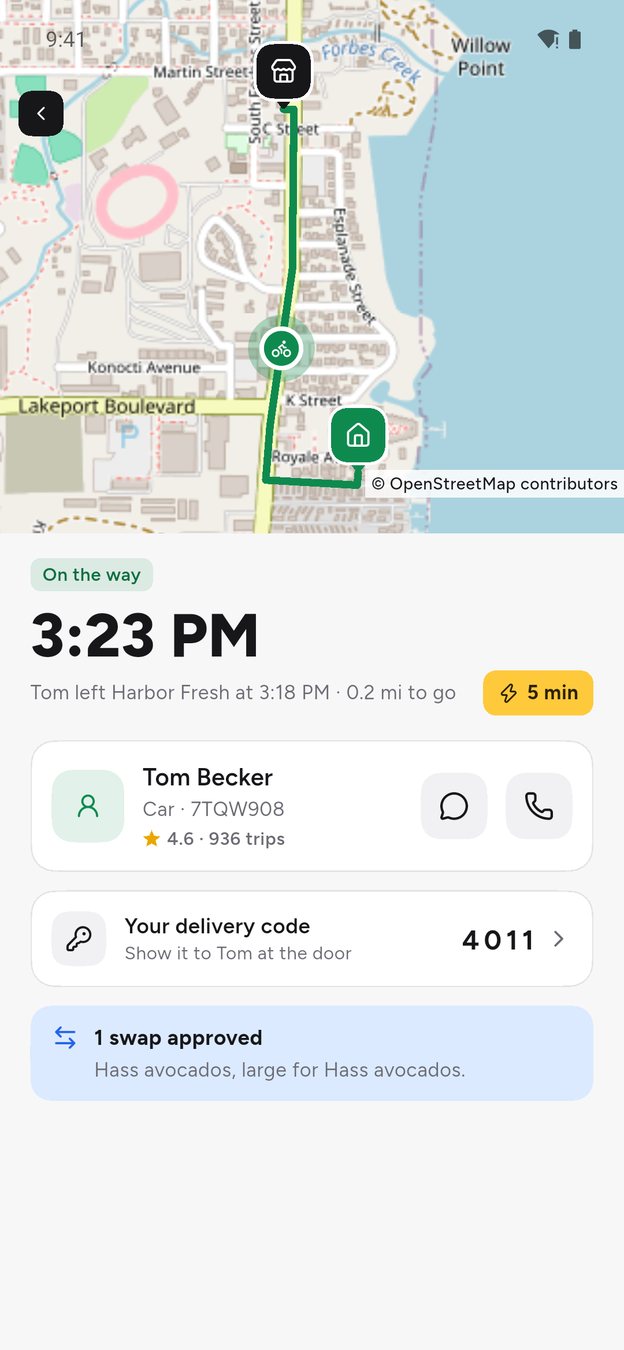
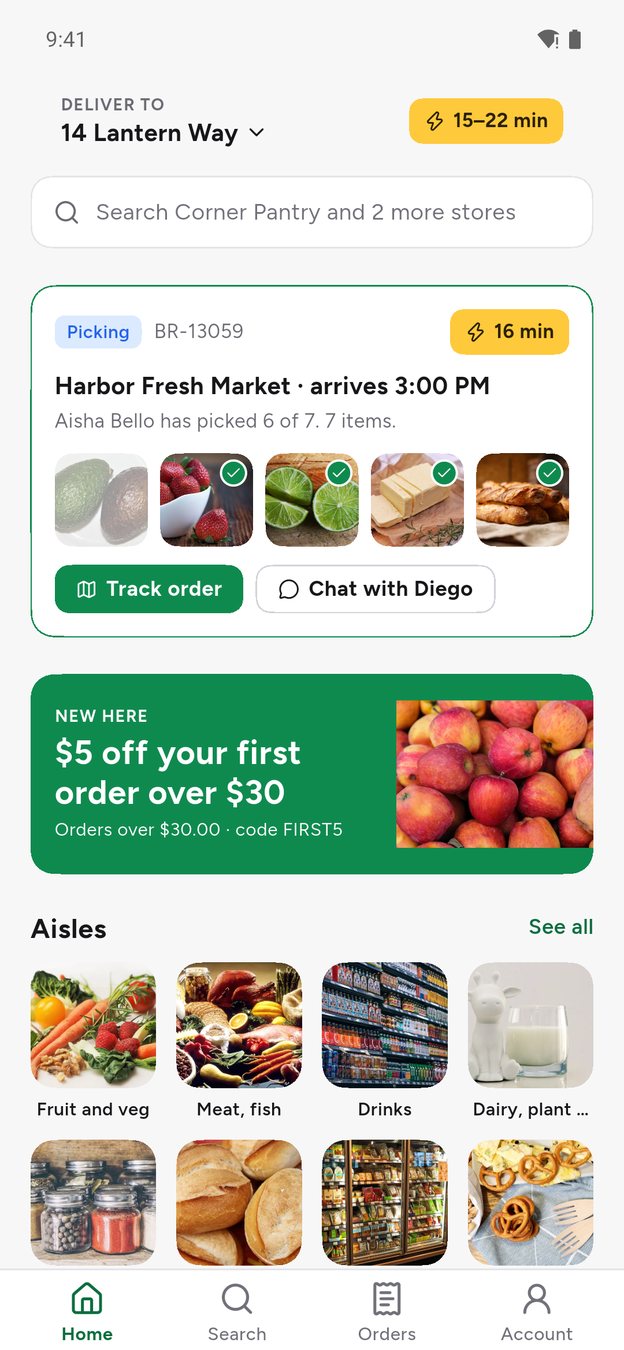
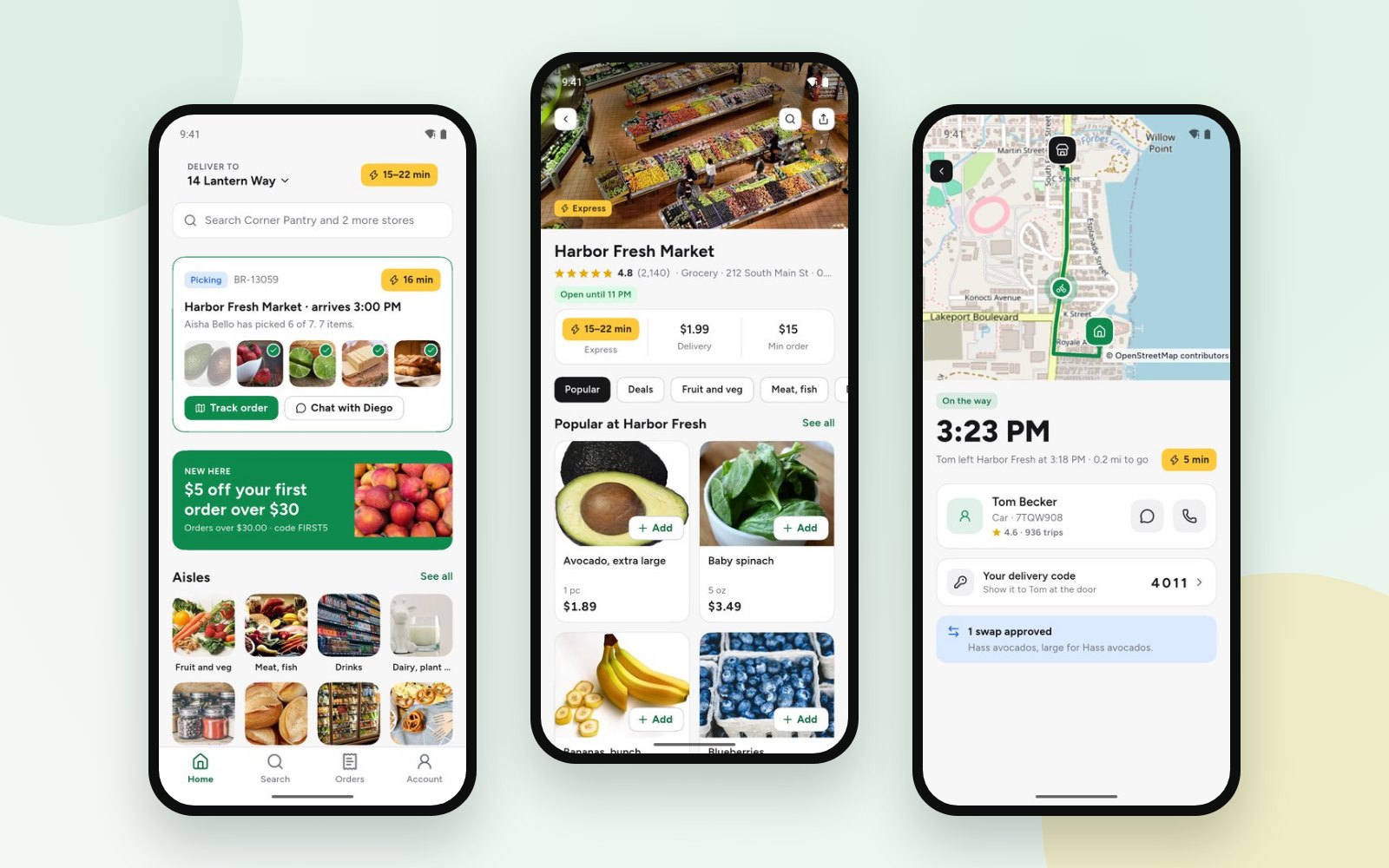
Basketrun on a phone
3Flutter appsshopper, store picker and driver
1Docker commandserver, database and file storage
Features

Everything a grocery delivery business needs

Not a single shop: a marketplace your stores join, your shoppers order from and your drivers deliver for.

01

A shopper app people reorder from

Flutter, iOS and Android

  • Stores near the delivery address, aisles, search and deals; one store per cart
  • Express delivery or a time slot, coupons, then card (Stripe), wallet or cash on delivery
  • Live tracking with the driver on the map, chat, and swaps the shopper approves or declines
A shopper app people reorder from
02

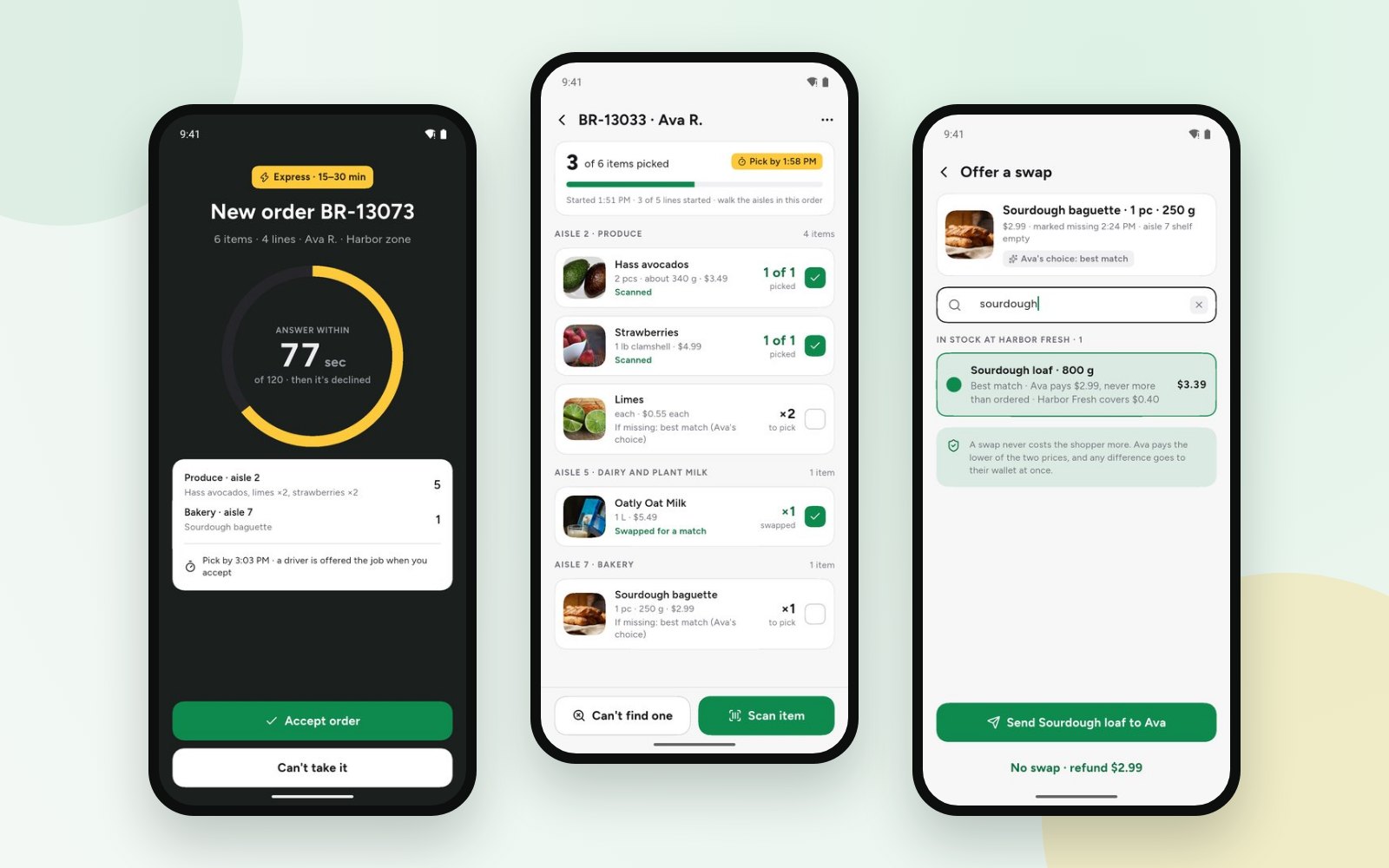
A picker app for every store

Flutter, iOS and Android

  • New orders ring until someone accepts them; unanswered orders are declined and refunded
  • A pick list sorted by aisle, with barcode scanning
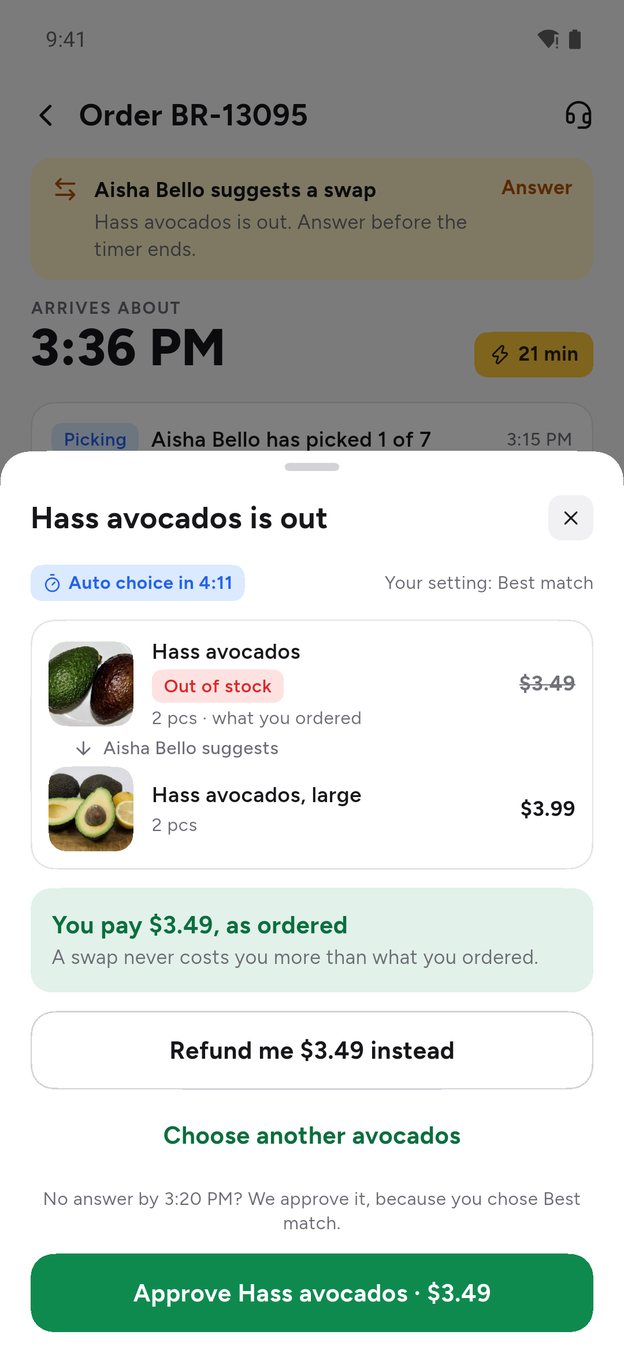
  • Out of stock: offer the best match, the shopper answers in the app, then pack and hand over
A picker app for every store
03

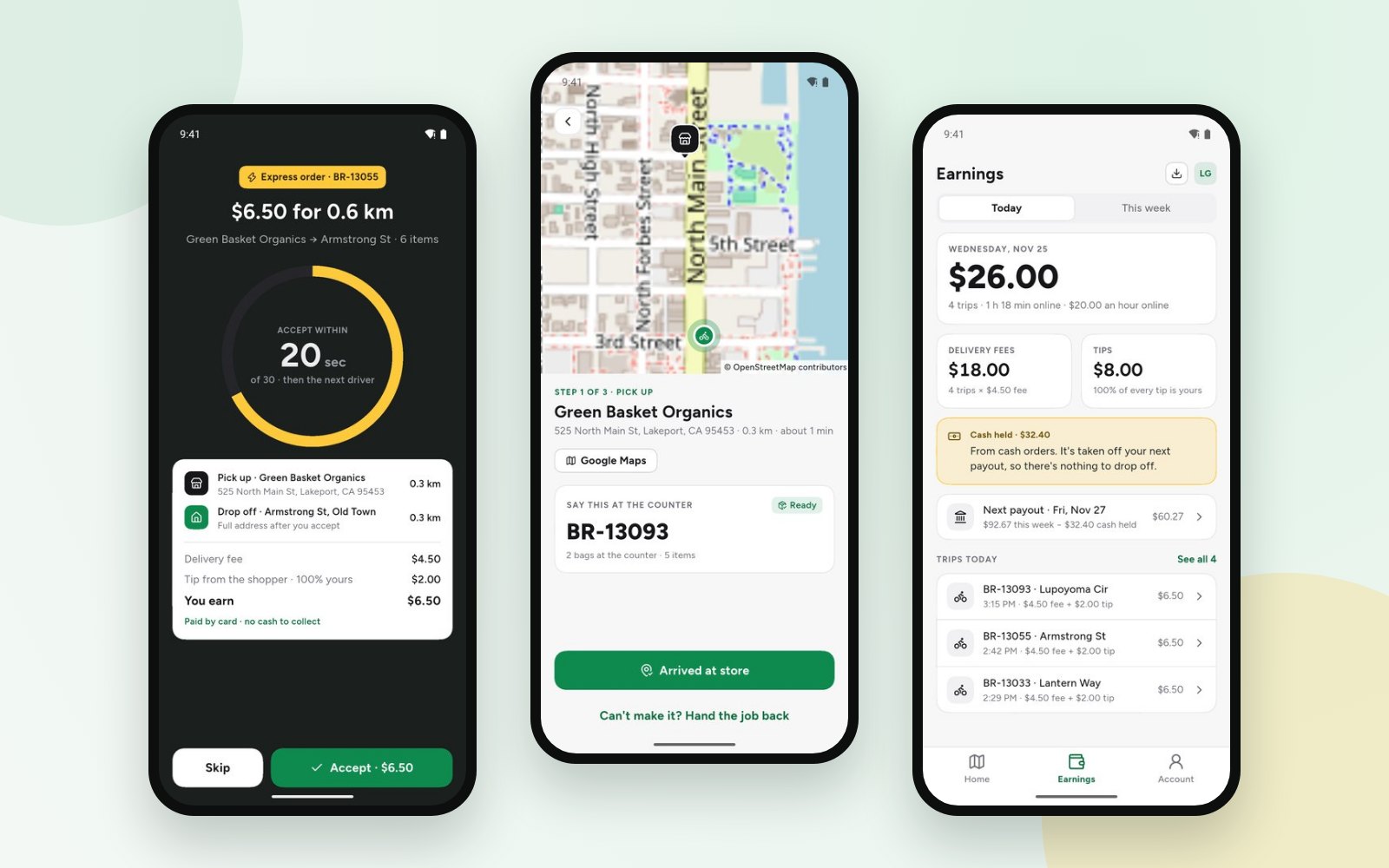
A driver app with offers and earnings

Flutter, iOS and Android

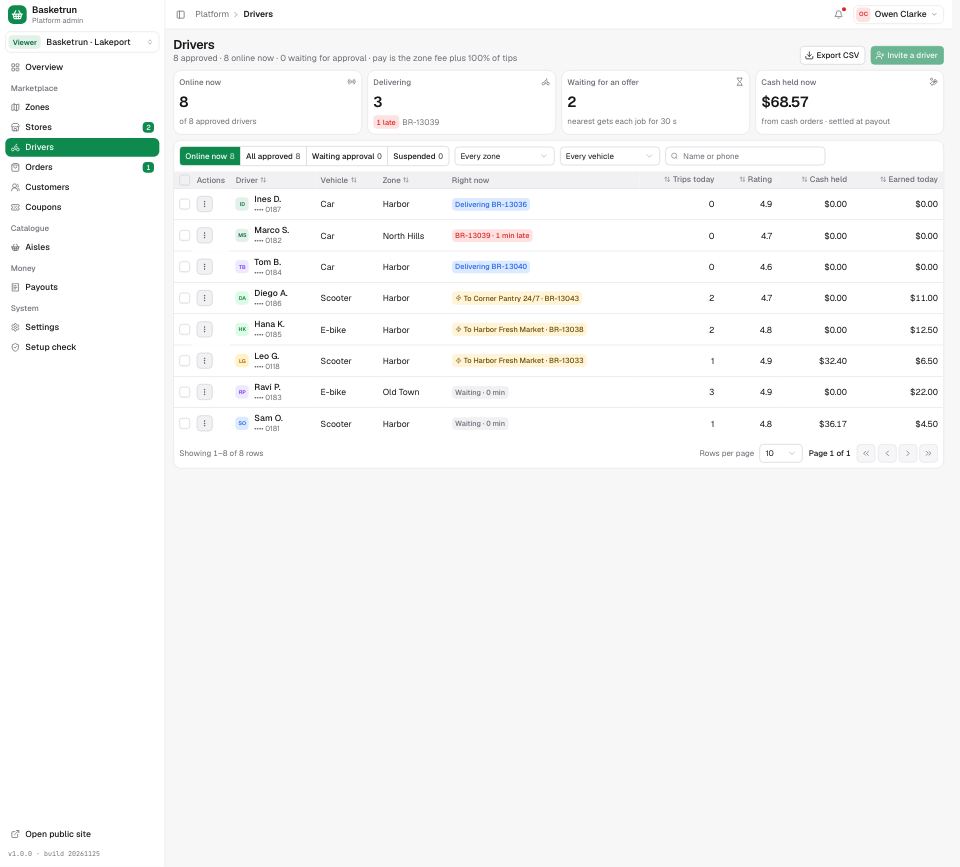
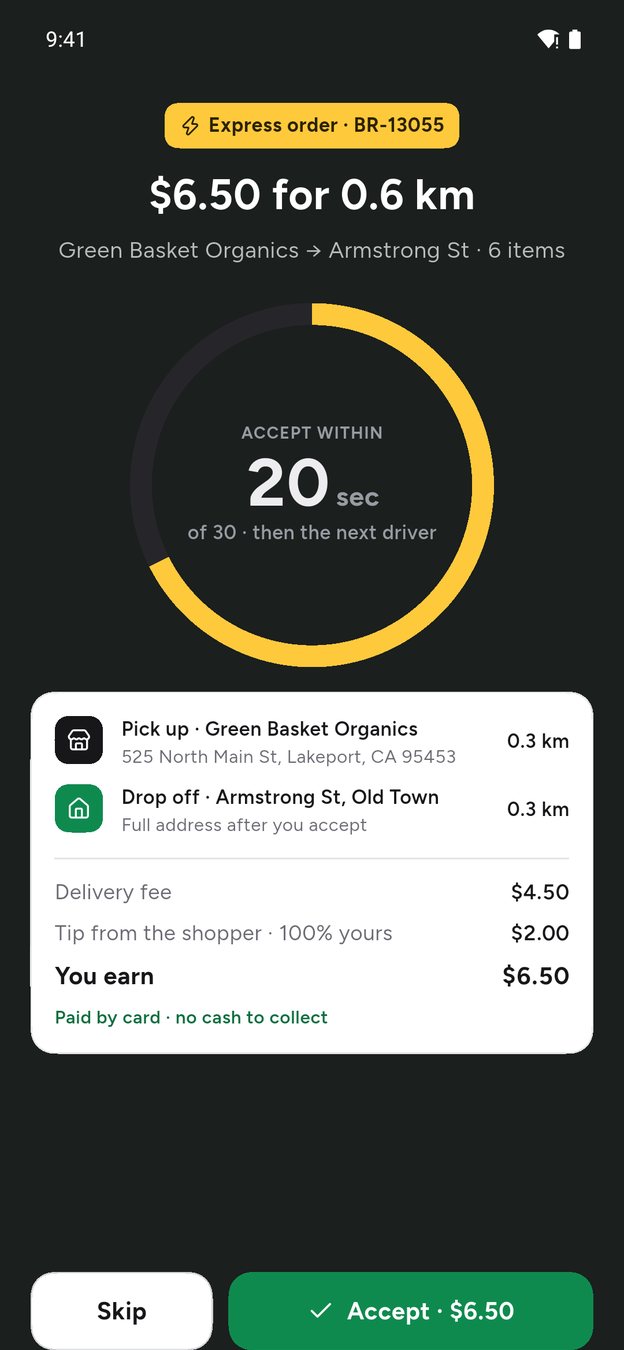
  • Go online, get offers for the zone and accept before the timer runs out
  • Directions to the store and to the door in Google Maps or Apple Maps
  • Delivery code or photo, cash collected, earnings by week and paid on Friday
A driver app with offers and earnings
04

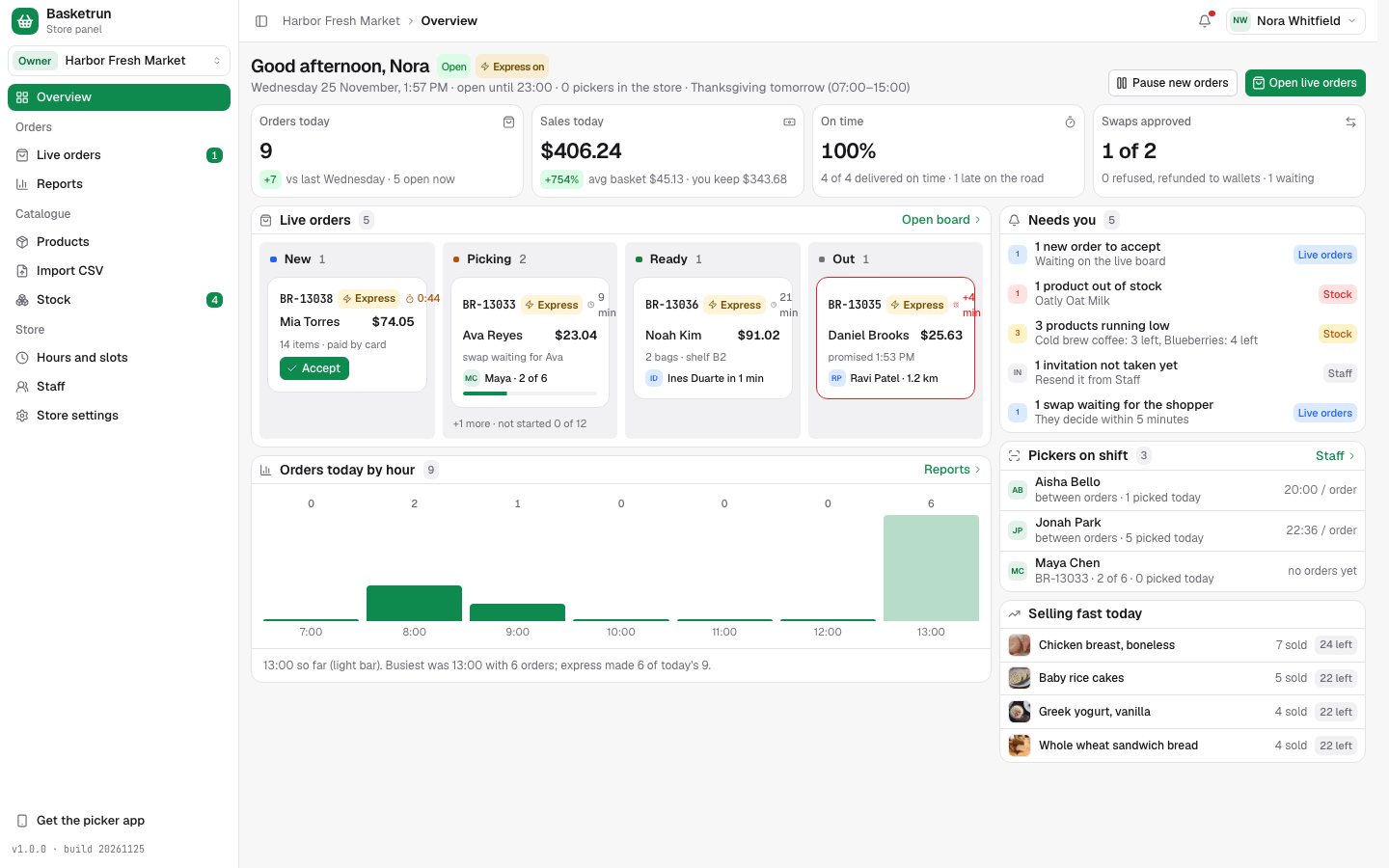
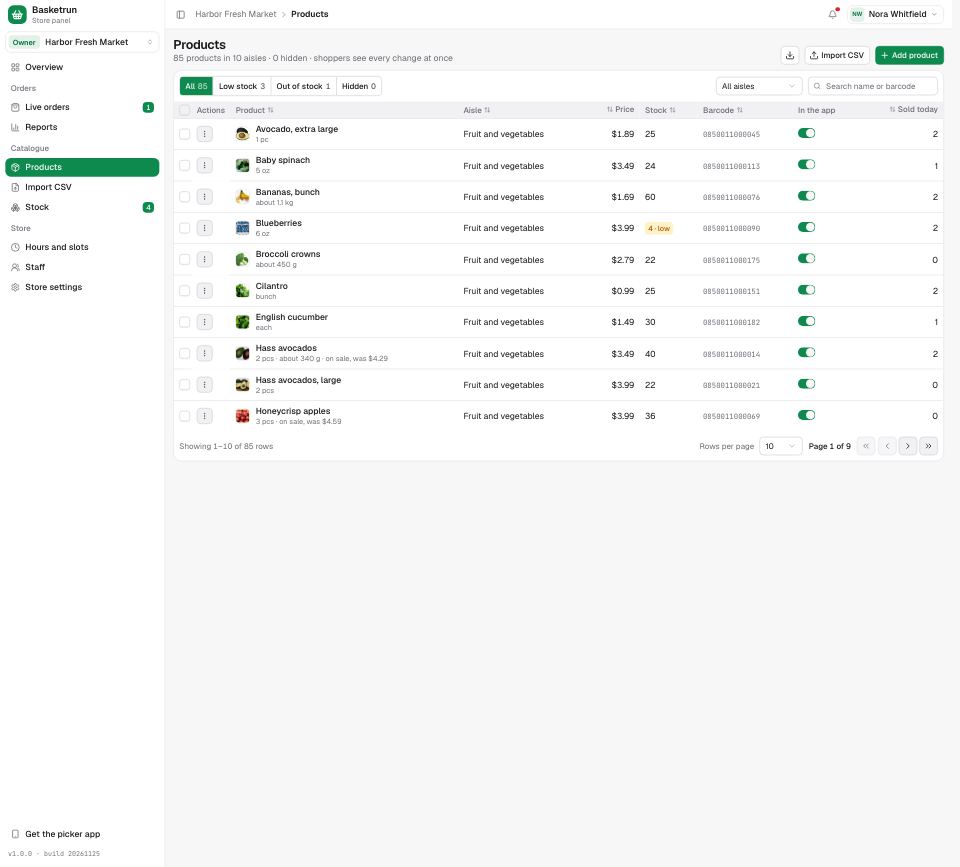
A store panel on the web

For owners, managers and pickers

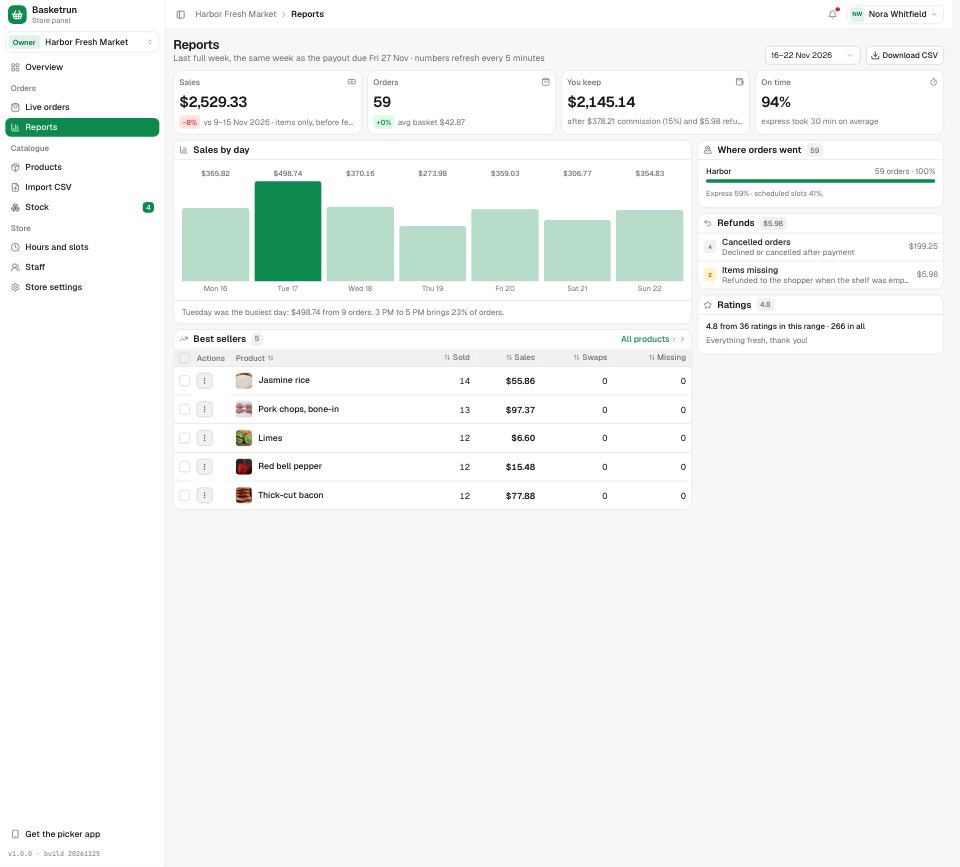
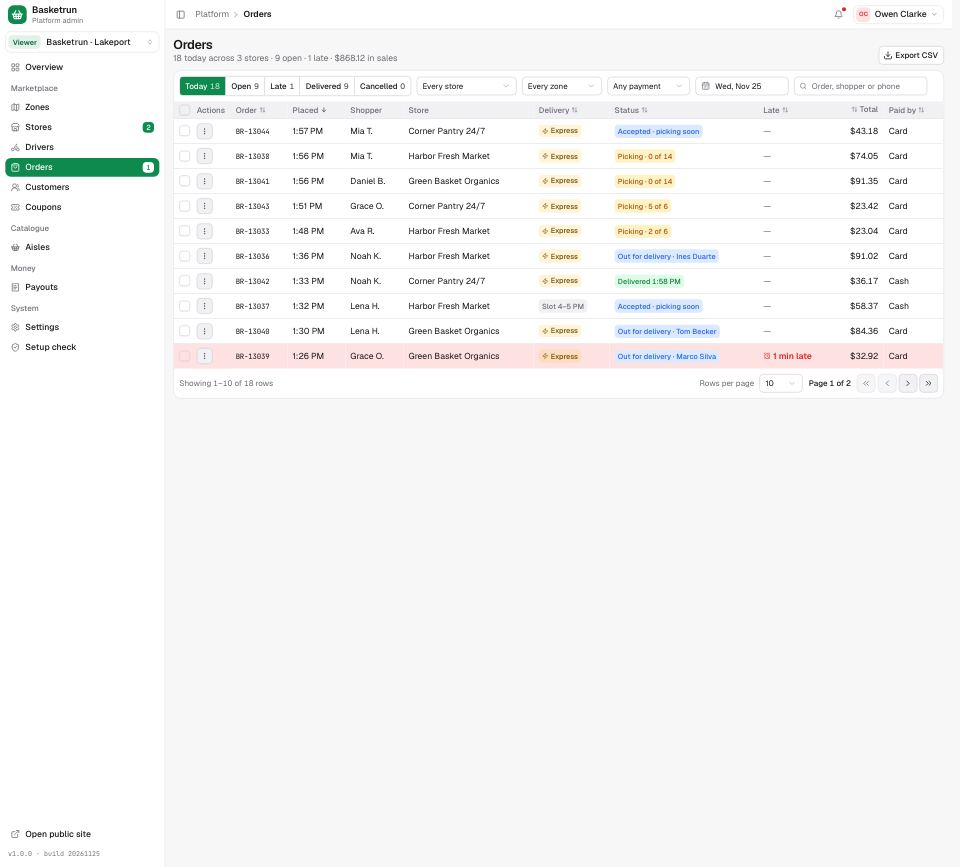
  • A live orders board that updates as orders are picked and collected
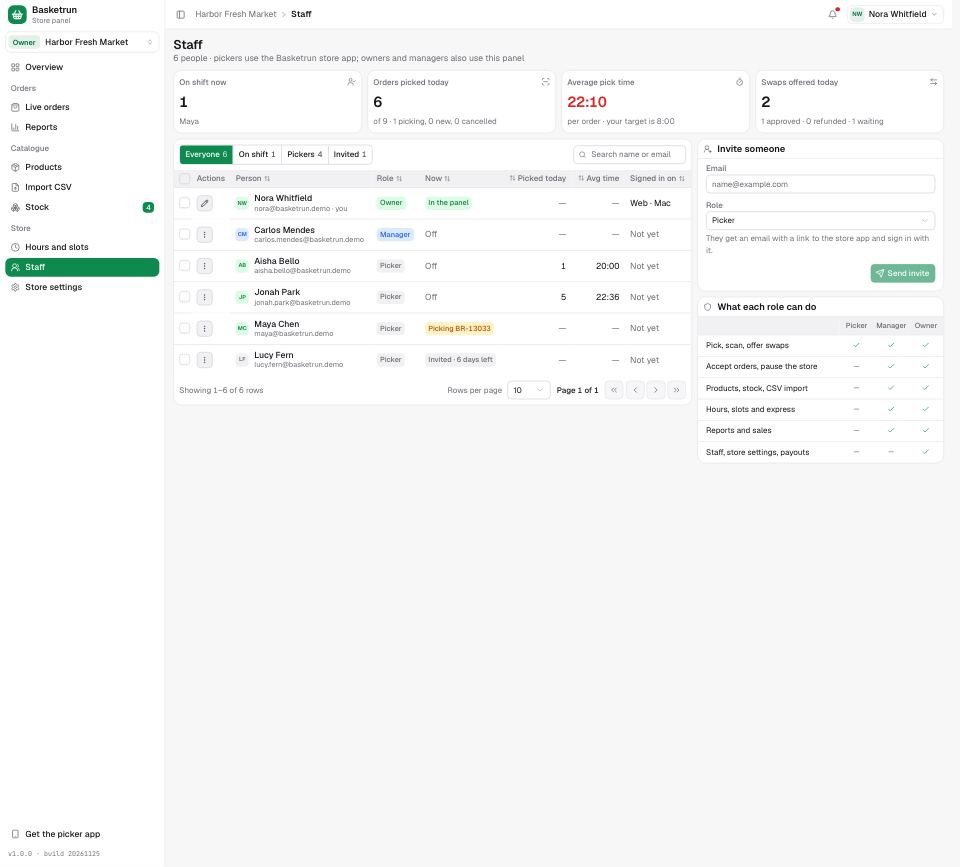
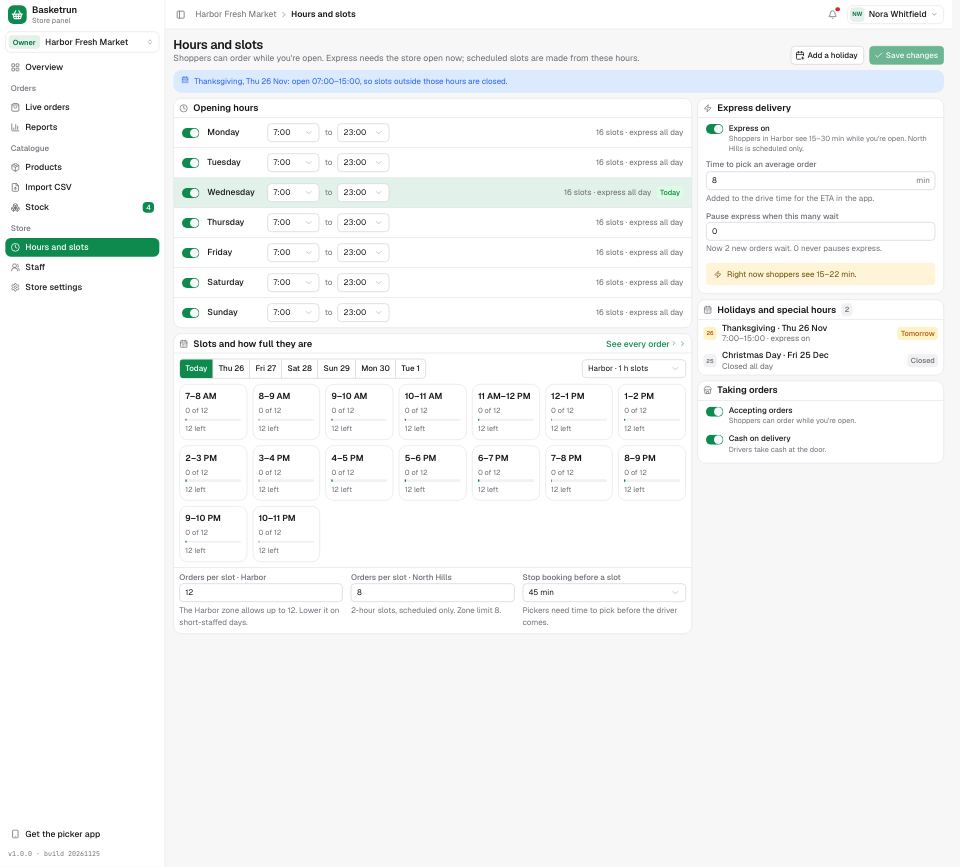
  • Catalogue with CSV import, stock, opening hours and delivery slots
  • The team with roles, and reports of sales, swaps and payouts
Open the store panel →
A store panel on the web
05

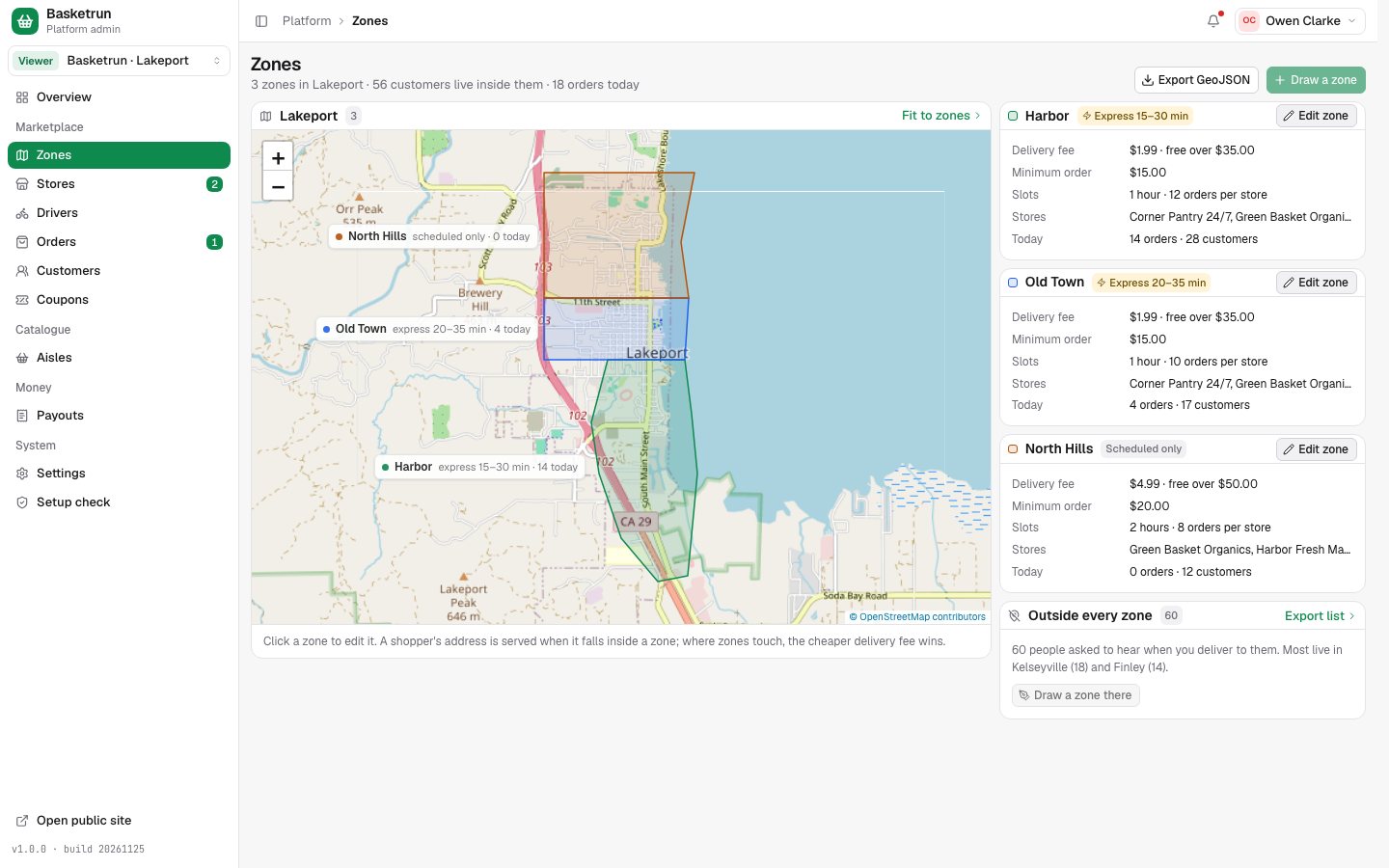
Run the marketplace

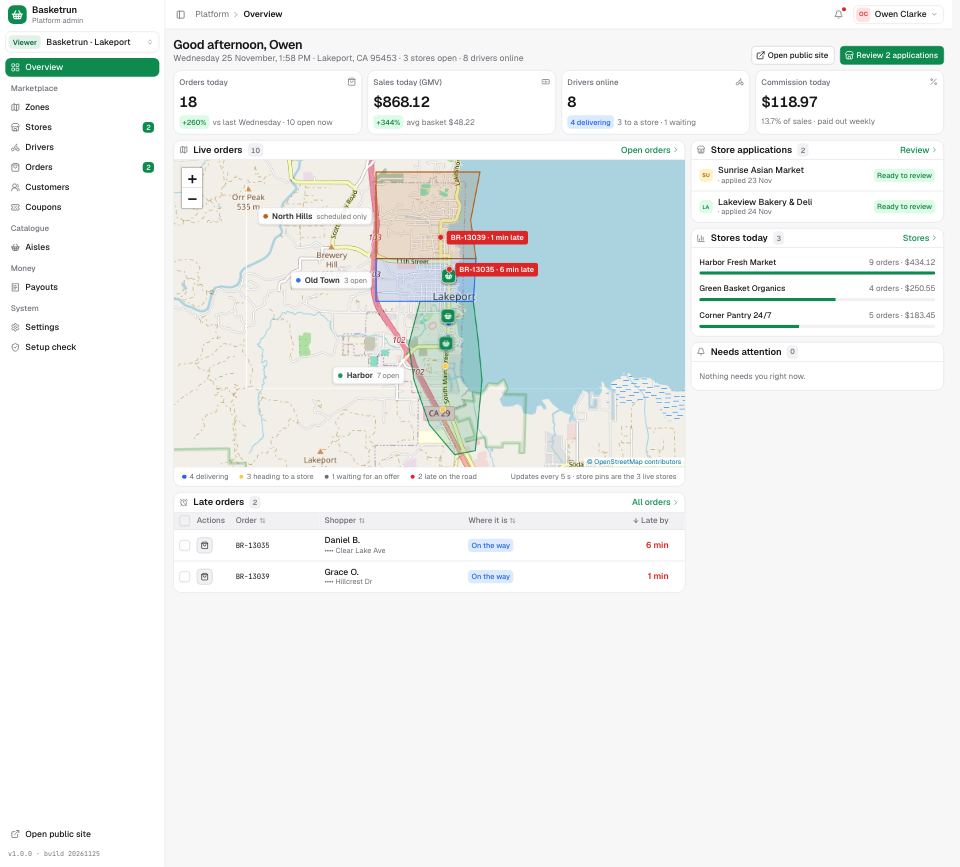
The super-admin

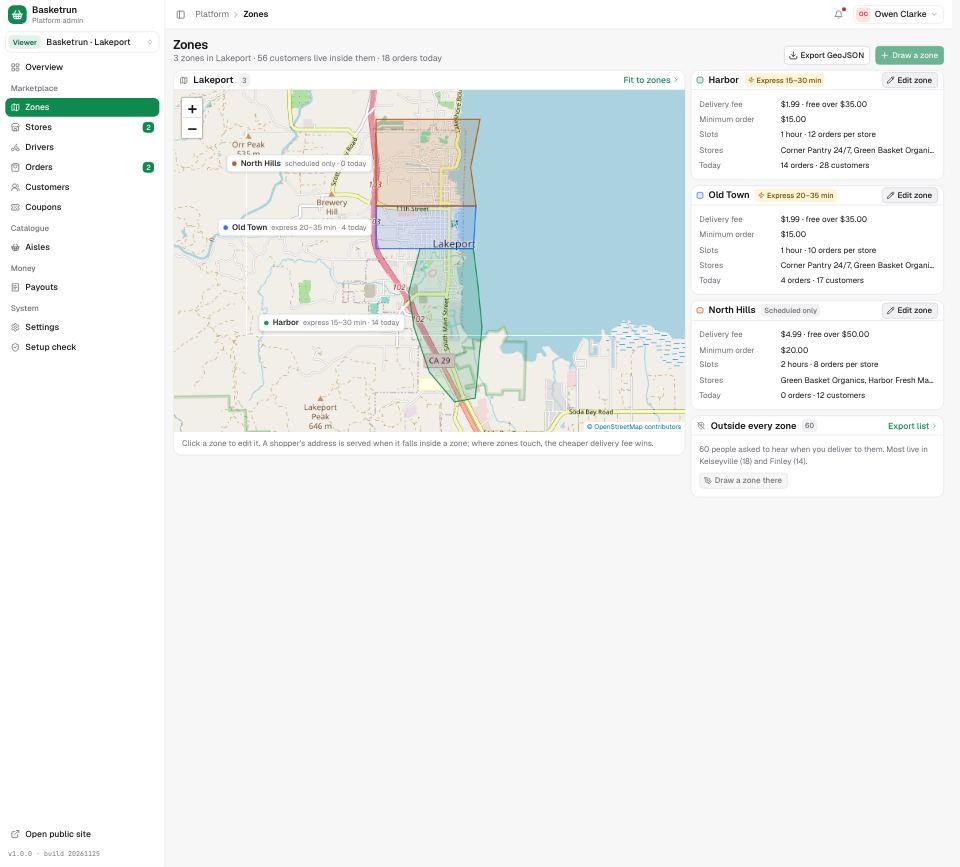
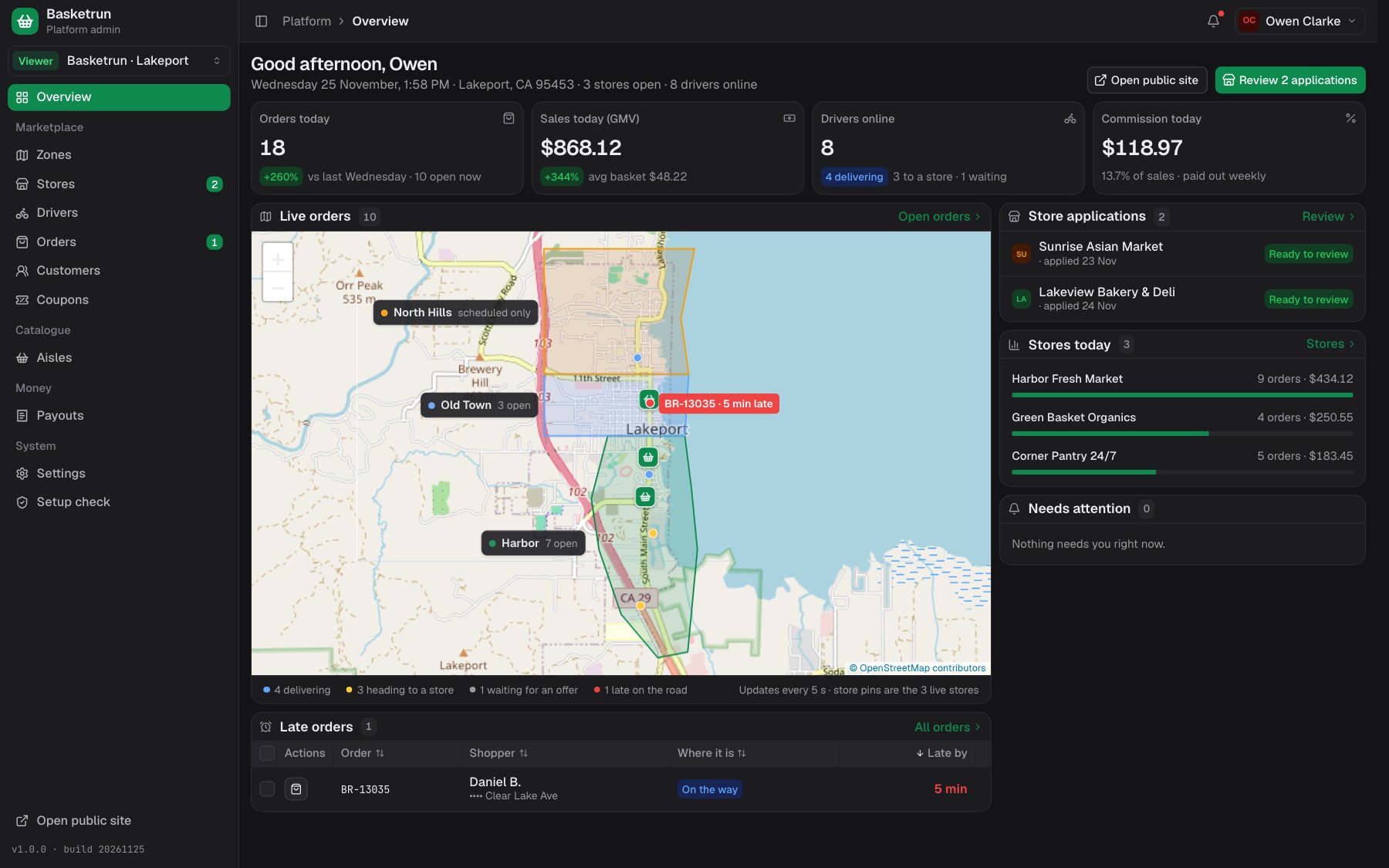
  • A live map of every order and driver; delivery zones drawn on the map with their fees
  • Approve stores and drivers, set the commission, run coupons and weekly payouts
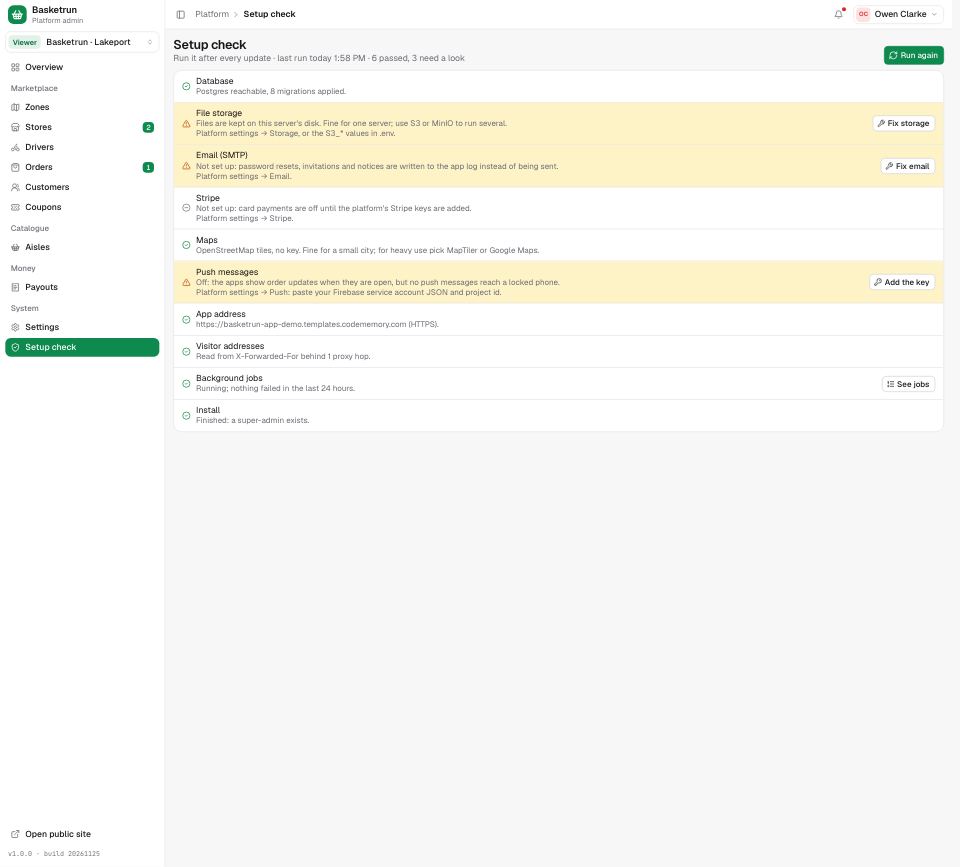
  • Branding, payments, maps, push and email settings, with a setup check for each
Open the super-admin →
Run the marketplace
Live demos

The web side, live

One click, no sign-up. Everything resets nightly.

Try the apps

Install the three demo apps

Android demo builds connected to the live demo. One tap signs you in; everything resets nightly.

Shopper app

Sign in as Ava Reyes. Shop Harbor Fresh Market, check out with the demo card and follow a live order.

Download the APK →

Store picker app

Sign in as Maya Chen, a picker at Harbor Fresh Market. Accept orders, pick by aisle and offer swaps.

Download the APK →

Driver app

Sign in as Leo Grant. Take an offer, pick up at the store and deliver with the code.

Download the APK →
Inside the web app

The store panel and the super-admin

What your stores use every day and what you run the marketplace from. Click any screen to try it.

Light and dark

Dark mode everywhere

The apps and the web follow the system setting or each person's choice. Drag the handle to compare.

Basketrun in dark mode
Basketrun in light mode
LightDark
The apps

Made for the phone first

Real screens from the demo apps, on the Lakeport demo city.

Basketrun on a phone
Inside

Built to be easy to own

One-command install

docker compose up -d starts the server, PostgreSQL and file storage; an install wizard in the browser does the rest.

Only the keys

Every outside service has a working default: OpenStreetMap maps, log-only email, local file storage and no push until you add Firebase.

Rebrand in one command

One command renames the three apps, their ids, link scheme, colour and icons; the web name, logo and colour change in the super-admin.

Tested and secured

Server tests against a real PostgreSQL; hashed sessions, signed Stripe webhooks and per-store data isolation.

Fast, modern code

A Rust (Axum) server compiled into one small program, React 19 with React Router 7, Tailwind CSS 4 and Flutter with Riverpod.

Live by default

Order status, the driver's position and new orders reach the apps and the web within seconds, without a refresh.

Running costs

What it costs to run

Basketrun has no monthly fee of its own. The outside services it uses belong to other companies, which bill you directly.

Card payments (Stripe)

Stripe charges its own fee on every card payment and wallet top-up it collects for you.

Your server

A server that runs Docker (a small VPS is enough to start) and a domain name.

App stores

An Apple Developer account (yearly fee) and a Google Play developer account (one-time fee) to publish the apps.

Maps work without a key on OpenStreetMap; a busy app should move to MapTiler or Google Maps, which bill by use. Each provider sets and changes its own prices.

Support

We've got you covered

Step-by-step docs

Install with Docker, build the Flutter apps and every key explained.

Friendly support

Questions and fixes from the people who built it, through the item's Support tab.

Free updates

Fixes and new features, free for every buyer.

Start your grocery delivery business

Install the demo apps or open the web side. One tap, no sign-up.